What Ledger Smartly does today, and what is planned
Documents your clients can pay from, and proper books behind them. Here is what is ready, what arrives with paid plans, and what we plan next.
Everything on the free plan works today. Paid plans are bought from your account, monthly or yearly. A feature marked "Planned" is not built yet.
Documents and clients
Invoices, quotes and receipts as clean PDFs, with your clients and past documents saved.
Six document types
Invoice, VAT invoice, proforma invoice, bill, receipt and quote, each with its own numbering.
A template for your trade
Start from a layout with the lines and terms your kind of work usually needs, then change what is different.
A finished PDF
Your logo, your bank details and a VAT breakdown by rate, set in clear type of at least 12 point.
Saved clients
Keep each client's details once and pick them from a list on the next document.
Twenty currencies
Invoice in pounds, euros, dollars and more, with the right symbol and format.
Clone and reuse
Copy last month's invoice, change what is different and download the new PDF.
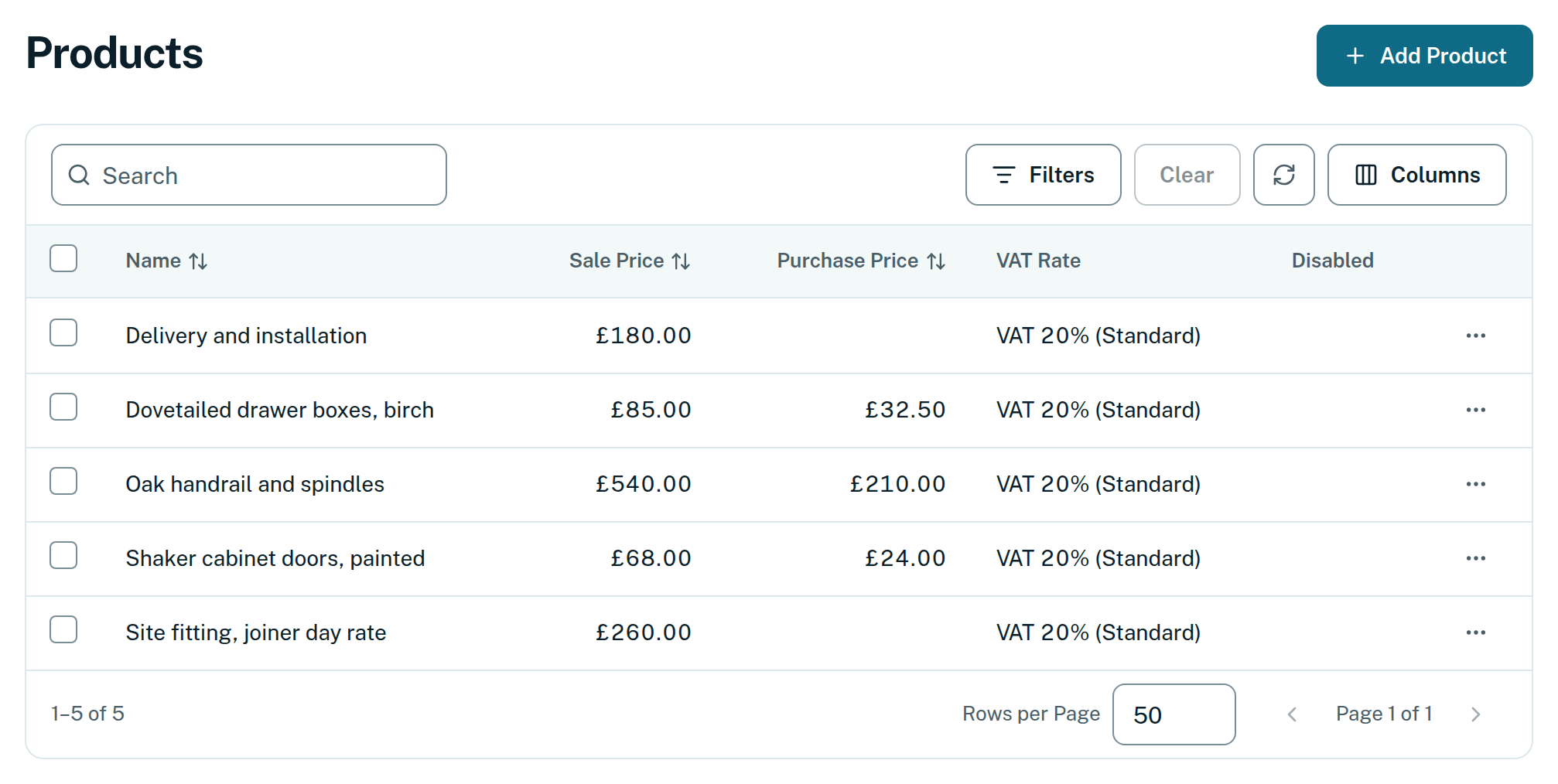
Saved products
Keep what you sell once, with its price and VAT rate, and pick it on a document line.
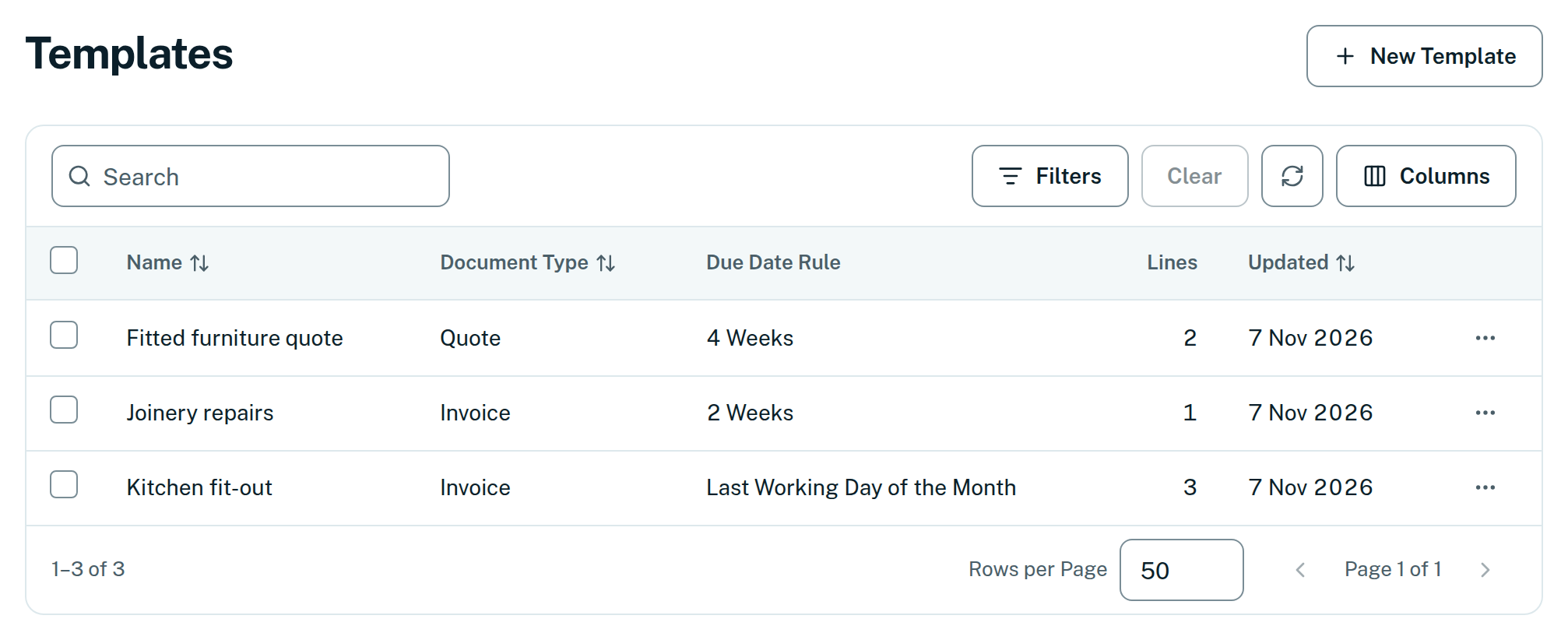
Document templates
Save an invoice or quote as a template, with its lines, terms and a due date rule such as the last working day of the month, and start the next one from it.
Recurring invoices
Repeat an invoice every week, month or year. Each one arrives with the next number, as a draft or posted to your books.
Share a link
Send a client a link instead of an attachment. They read the document on any phone and download the PDF, and you see when they opened it.
Double-entry bookkeeping
A real general ledger underneath, so every figure can be traced to the entry that made it.
A UK chart of accounts
A chart of accounts for a UK business, ready when you finish setup, which you can add to.
Journal entries
Save a journal as a draft and post it once its debits and credits agree. Cancel one that was wrong and correct it from a copy.
Financial years and a lock date
Entries fall into your financial year by their date. Set a lock date so that nothing dated on or before it can be changed by mistake.
More than one organisation
Run more than one business under one plan, each with its own books, team and allowances, at 20% off the plan price.
Sales and purchases
Post what you bill and what you are billed, and see what is still owed either way.
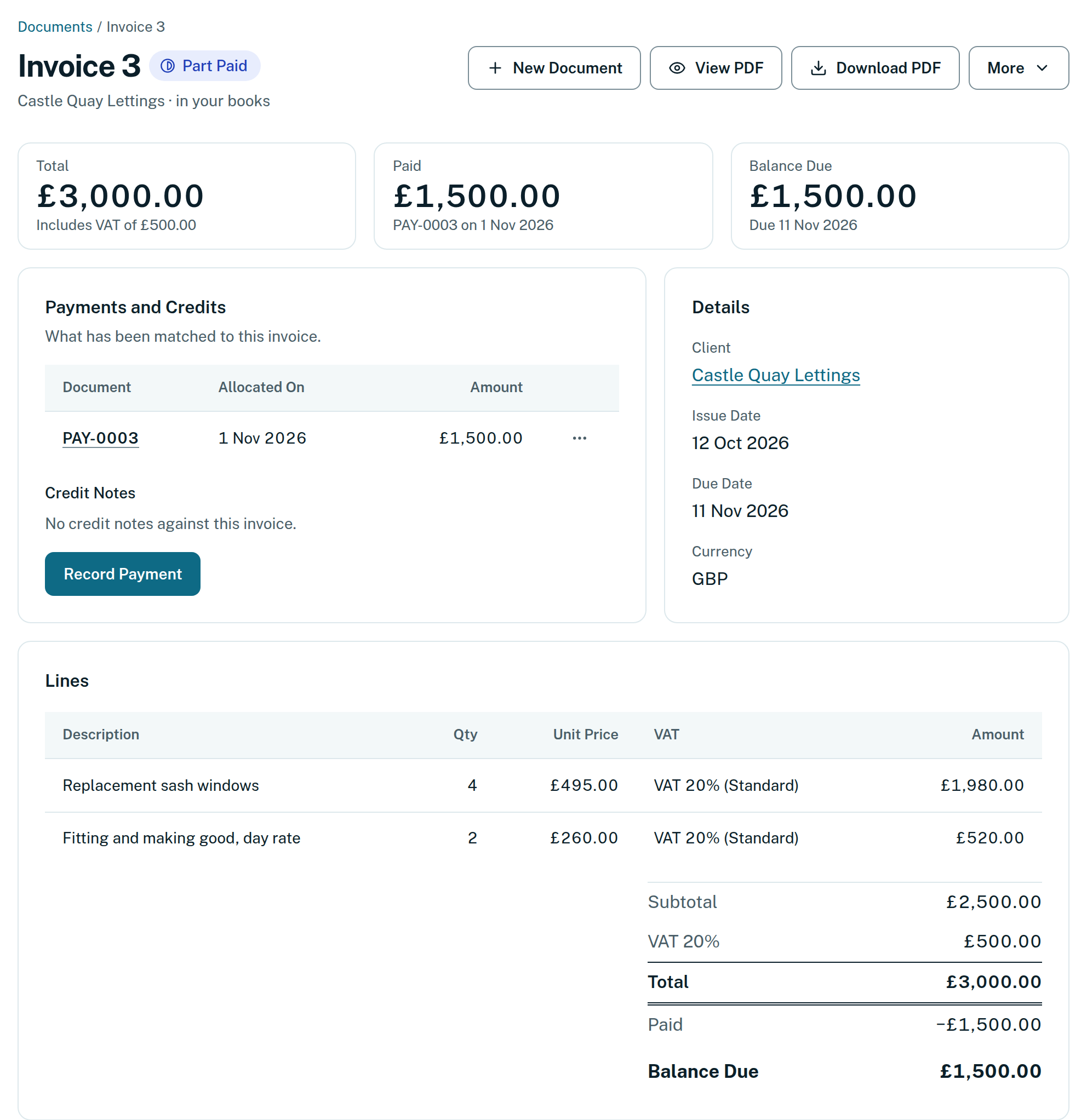
Invoices posted to the ledger
Posting an invoice records the sale, the VAT and the amount your client owes in one step.
Credit notes
Credit all or part of a posted invoice, and the amount the client owes falls to match.
Purchase bills
Record supplier bills with their VAT and attach the original file.
Supplier credits
Record a credit from a supplier and use it against their open bills.
Payments
Record money in and money out, and match it to the invoices and bills it settles.
Money in and money out
Record a payment from a client or to a supplier against the right bank account.
One payment, several invoices
Split a payment across the invoices or bills it covers, and keep any remainder as credit.
Pay Now on invoices
Clients pay an invoice online by card, Apple Pay or Google Pay through your own Stripe account, and the payment and Stripe's fee are recorded in your books.
Customer statements
A statement for any client between two dates, showing each invoice, credit and payment and the balance.
UK VAT
VAT handled where it happens: on each line of each document.
VAT rates on every line
Standard, reduced, zero-rated, exempt and No VAT, chosen per line and totalled by rate.
Your own tax rates
Add a rate the standard list does not have, and choose the accounts it posts to.
VAT return summary
The figures for each box of your VAT return, on the standard scheme, with how they tie to your books, for you or your accountant to submit.
Bank import and reconciliation
Bring in your bank statement and agree it with your books, line by line.
Statement import
Upload a CSV statement from your bank. Lines you have imported before are recognised and skipped.
Reconcile each line
Match a line to a payment or journal of the same amount already in your books, or record it straight from the statement.
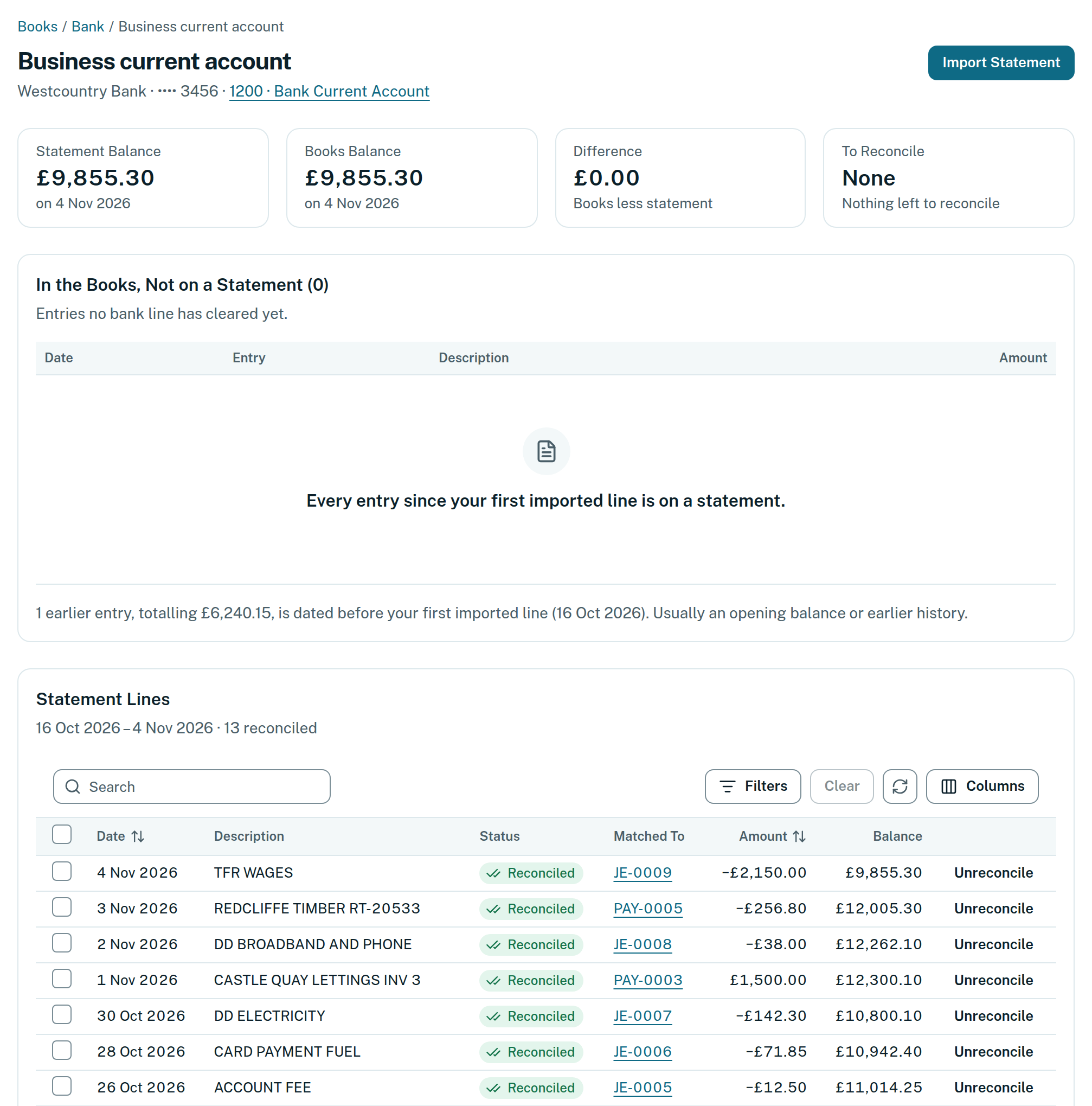
Books against the bank
See the statement balance beside the balance in your books, the difference between them and the lines still to reconcile.
Suggested matches
For each bank line with one clear answer, see the payment, invoice or bill that explains it, and accept it with one click or several at once.
Rules for repeat transactions
Save a rule for a bank line that repeats, such as a monthly account fee, interest or rent, and have its account and VAT rate suggested each time. Nothing is posted until you accept.
Live bank feeds
We plan to offer a direct connection to your bank, so statements arrive without a file.
Planned
Reports
The reports your accountant asks for, from the same entries you posted.
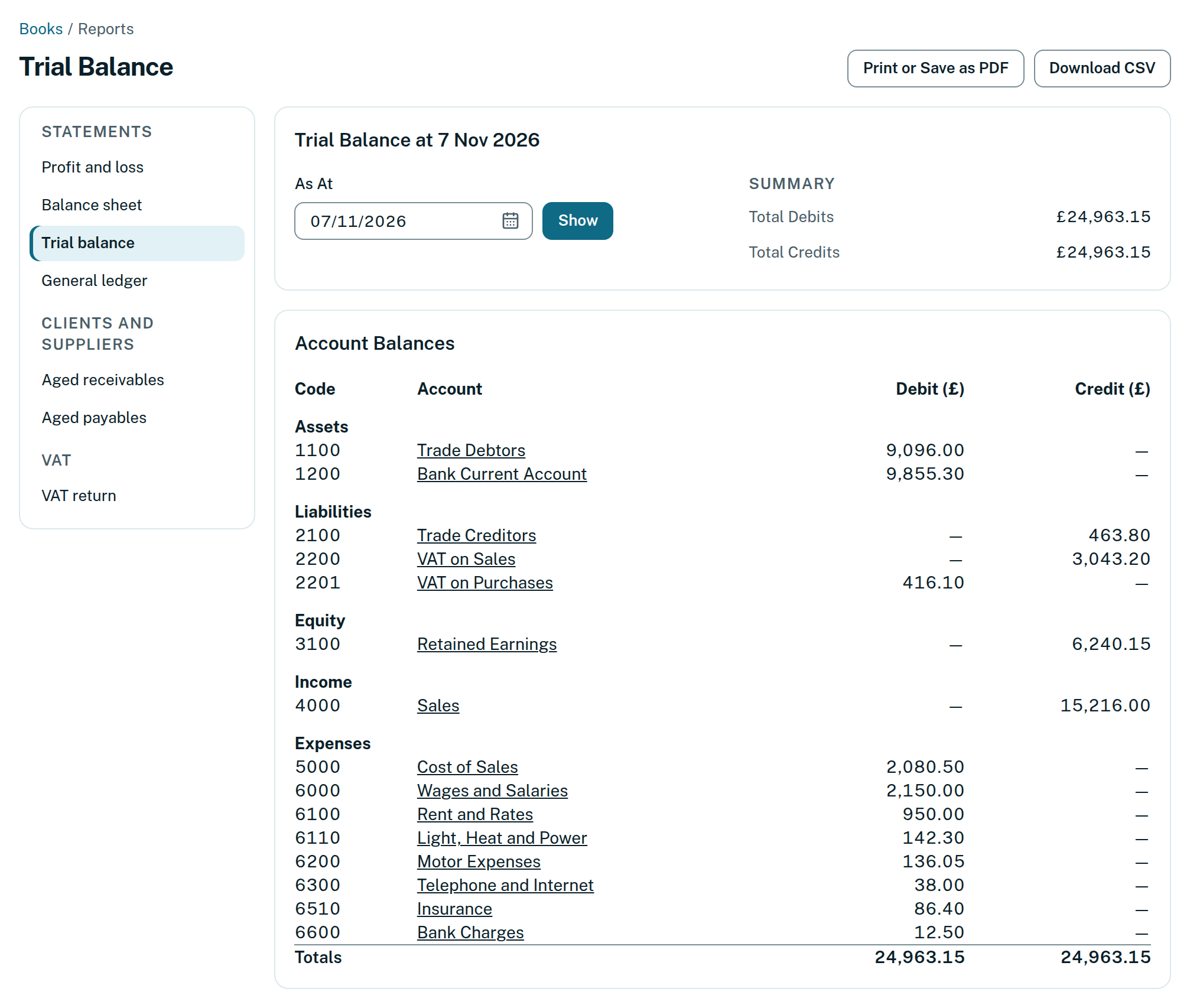
Trial balance
Every account's balance at any date, with debits and credits that agree.
General ledger
Every entry on an account between two dates, with a running balance.
Aged debtors and creditors
Who owes you and whom you owe, grouped by how overdue each amount is.
Profit and loss, and balance sheet
A profit and loss account for any period, and a balance sheet at any date. Every report downloads as a CSV file, and the reports under Books › Reports print.
Tracking categories
Tag income and costs with up to two categories, such as a department and a location, and see a profit and loss with a column for each option.
Start with what is ready today
The document builder and your free account work now.